New Construction underwriting in DealWorthIt models a ground-up multifamily development from the first cost line to the exit — on the server, with an auditable saved calculation behind every figure. This guide walks the workspace end to end; the deeper guides cover each stage's assumptions.
Pick the New Construction card when the deal is a ground-up build: development budget, construction loan, lease-up, stabilization and exit. It's currently single-phase ground-up multifamily — an existing property you're renovating or repositioning belongs in the Multifamily flow instead. One project counts as one property on your plan, and New Construction is included with every paid plan.
Creation is deliberately light: name the project and locate the site (street, city, country — description optional). Everything financial — budget, financing, lease-up, exit — is entered in the construction workspace afterwards, so there's nothing to prepare before you start. Want to see a finished one first? Open the Sample New Construction deal from the sample-deals gallery — it's a complete, read-only analysis and consumes nothing on your plan.
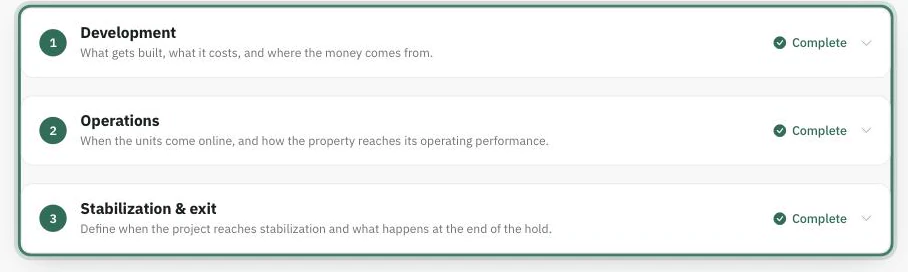
The Underwrite tab organizes the work as three stages over six sections:
Nothing is locked behind anything else — the stages are how the page reads, not a wizard. Each section carries its own completion status, and you can work in any order. Every input has an ⓘ beside it explaining exactly what the engine does with that field; those popovers are the field-level reference, and these guides stay at the workflow level.
Assumptions you type are saved as you go — they're your inputs, kept safe. Results are a separate act: Calculate & Save runs the engine on the server and stores an immutable saved calculation. The right-hand analysis rail always shows the last saved calculation — its verdict (fundable or what's blocking), the headline figures, and Show the math for the full working. Nothing is computed in the browser, so what you see is exactly what's stored — and exactly what a report will say.
The analysis strip above Overview, Underwrite and Reports is where multiple Analyses live — independent versions of the deal's assumptions. That's its own guide.
New Construction isn't a premium tier — a locked workspace means the deal owner's subscription isn't active, not that the plan was too small. Nothing is deleted while it's locked: inputs, documents and saved analysis versions are held as you left them and return the moment a plan is active. If the project was shared with you, the entitlement is read from the owner's account — upgrading your own plan can't open it.
